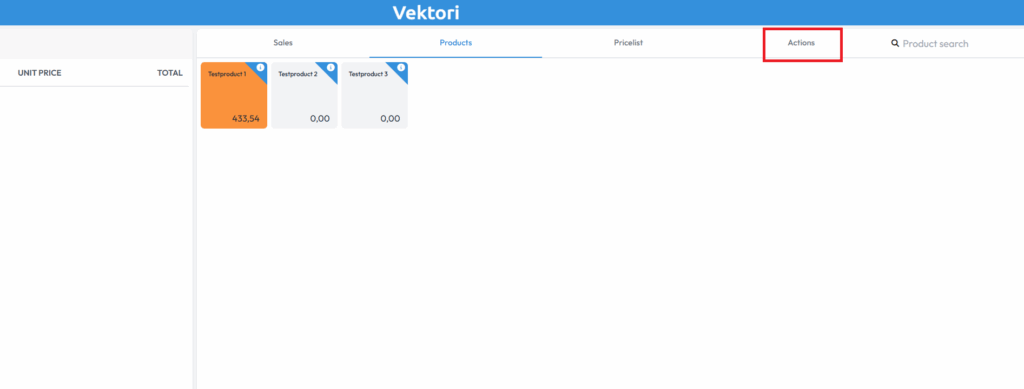
If you want to find a receipt for printing, sending, or refunding, start by clicking the gear icon or the “Actions” button in the top right corner of the device.
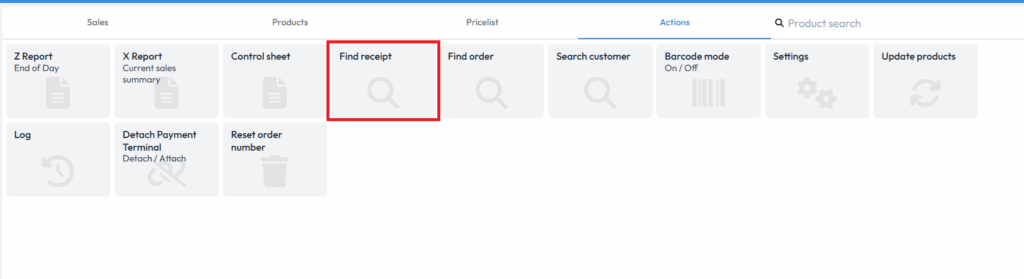
Next select “Find receipt”.
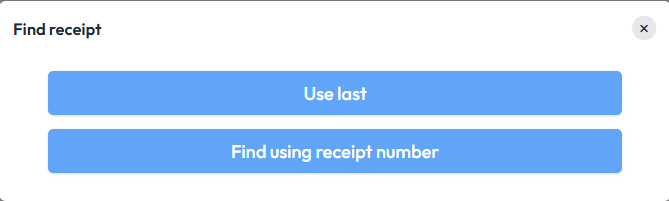
Select either “Use last” if it is the most recent transaction, or “Find by receipt number”, in which case you need to enter the receipt number found at the bottom of the receipt.
Below the receipt are the following options:
Back – returns to the previous step.
Print – prints the receipt.
Send – sends the receipt to the customer’s email address.
Refund with receipt – starts the refund process.
If you want to refund the sale, you can do a full refund or remove products from the receipt, select the refund method (card, cash, or other payment methods), and continue the refund as with a sale.
Comments
0 comments
Please sign in to leave a comment.